Record your own business greeting
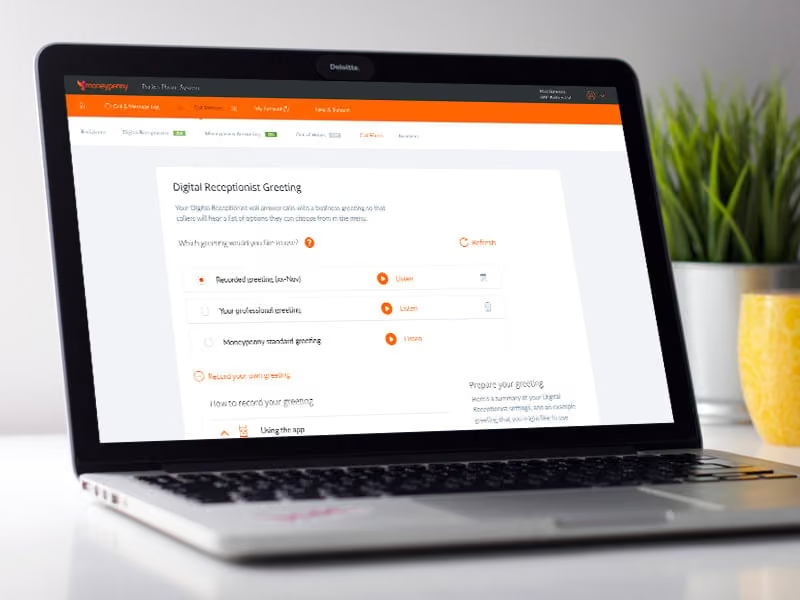
Pocket Phone System allows you to record your own business greeting.
It's a 5 minute job. Simply think of the greeting you want to record and follow one of these two steps:
Record using the app
Head to settings and select 'record a business greeting'. You'll be presented with an orange button - tap this to start and stop recording. Once you're happy, press 'save' and your greeting will be available in the portal for you to select.
Upload via the portal
Once logged in, select 'my business greeting' and head to 'record your own greeting'. Hit 'browse' to locate the audio file you're looking for - this will need to be either an MP3 or WAV file. Click 'upload' and your greeting will be available to select.
For help logging in, please call us on 0333 202 1005 - we'd be happy to help. This guide assumes that you're on board with our Sprint or Fly package. If you're subscribing to our Run package, you're welcome to upgrade at any time.

Get your quote from the UK’s #1 provider today
Provide us with a few details and we’ll contact you to explain how Telephone Answering will work for your business. Alternatively, call 0333 202 1005 to find out more.
What to expect:
- Thousands of businesses on board
- Unmatched sector expertise
- Award-winning culture