A guide to our Facebook Messenger integration
Moneypenny is now able to handle your Facebook Fan Page or Facebook Business Page chats, just as we do your Live Chats. Being available on multiple platforms, including Facebook Messenger, provides a faster and easier method of communication with your customers and betters your brand engagement. There’s nothing additional after completing the linking process that you need to do, we keep all of the information you have provided for us to take your chats; everything will remain consistent across your website Live Chat and your Facebook Fan Page or Business Page chats.
Setup
To allow us to handle your Facebook communications, please get in touch. We will then provide you with access to the settings area within your Live Chat Hub.
Once you have access, you will need to do the following.
1. Login to your Admin Dashboard and click on Settings on the left panel and “Channels” across the top.
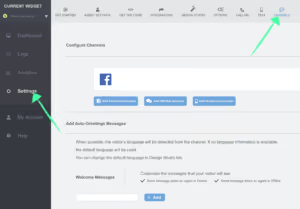
2. Next, click “Add Facebook Account”. You will then be prompted to login to your business’s Facebook account, follow through the steps and then click “next”.
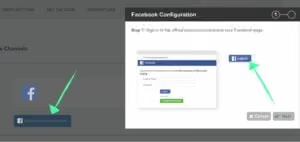
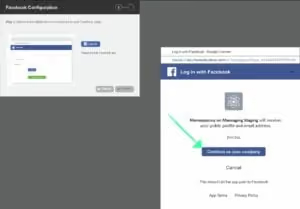
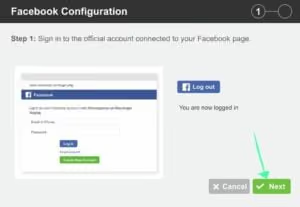
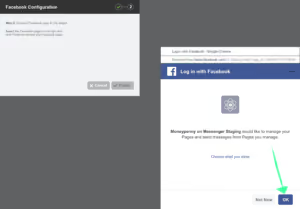
3. You will then be prompted to give the required permissions to us to link to your Facebook page by clicking “OK”.
4.Next you will be taken to select the Facebook pages (or just one page) that you want to connect your Live Chat account to.
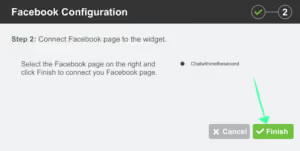
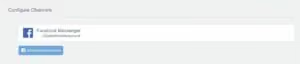
5.Finally, click “Finish” to complete the setup.

Get your quote from the UK’s #1 provider today
Provide us with a few details and we’ll contact you to explain how Telephone Answering will work for your business. Alternatively, call 0333 202 1005 to find out more.
What to expect:
- Thousands of businesses on board
- Unmatched sector expertise
- Award-winning culture